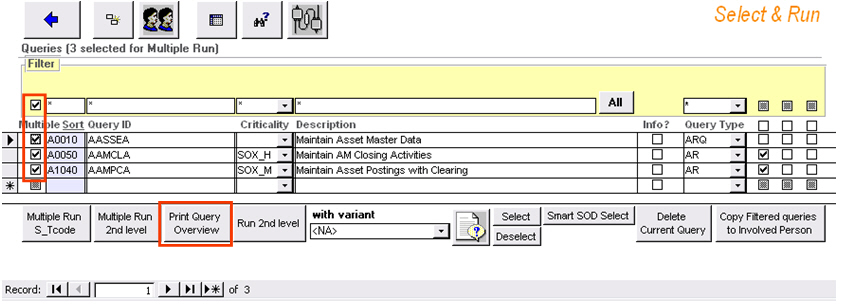
The CSI Authorization Auditor enables you to set normative information for each user per query for each variant in a so-called norm. There are 2 ways to set normative information, either in the Select & Run module/Audit cockpit or in the Result Container. For the latter, we refer to Result Container - Queries View. These defined norms which are assigned to users are stored within the query database to prevent inconsistencies.
The 'Norm'-button (button with two faces) In the Select & Run module/Audit cockpit screen will open a dialog box with current normative information for the active query.
You can assign a norm to user groups or single users. When a user group is assigned to the norm, all users in that user group will be given that norm code.
Note: When a norm code is assigned to an individual user, it overrides the user group assignment.
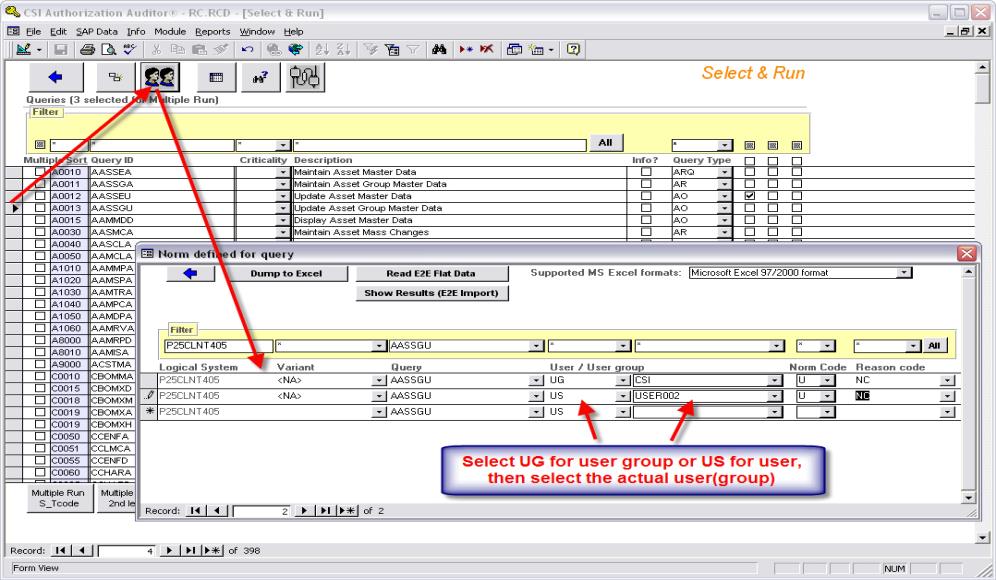
In the above example anyone in the user group CSI will be assigned the NORM CODE = U and the REASON CODE = NC for CSI query AASSGU –<NA> no variant will be applied. The norm is only active for this particular variant.
Dump to Excel
The 'Dump to Excel'-button allows you to export the list of Norms into an Excel file. Clicking the button will open a popup where you can choose a filename and output location for this export.
Note: The default output location is the same as the folder where the CSI AA executable was installed.
Creating new Norm Reason Codes
Select Edit
- Define Norm Reason Codes from the menu at the top of your screen.
This will open the 'Maintain Reason Codes'-screen. In here you can add new Norm Reason Codes with a short and full description (and optionally compensating controls).
Note: All fields except 'Compensating controls' need to be filled in.
Creating new Norm Codes
Please refer to the Preferences - Norm Codification topic.
 Add T-codes / Authorizations